How to Cross Stitch Pixel Art Video Game Characters: A Complete Beginner-to-Intermediate Guide
How do you cross stitch pixel art video game characters?
Why Pixel Art and Cross Stitch Are a Perfect Match
Pixel art and cross stitch share the same fundamental structure: both are built on a uniform grid where each unit — whether a pixel on a screen or a stitch on fabric — represents exactly one color. This makes video game sprites, especially characters from 8-bit and 16-bit era games, naturally translatable to cross stitch without any artistic interpretation required. A sprite that occupies a 16×16 pixel grid on screen becomes a 16×16 stitch grid on Aida cloth, with every pixel mapping directly to a single cross stitch. Modern indie game characters and retro console heroes alike tend to use limited, flat color palettes that match up cleanly with standard DMC embroidery floss colors, eliminating the blending and shading complexity you'd face with photographic cross stitch portraits. This is exactly why pixel art cross stitch has exploded in popularity — you don't need to be an experienced stitcher or an artist to produce a result that looks instantly recognizable and polished.
Materials You Need Before You Start
For pixel art cross stitch, the most important material decision is your Aida cloth count, which determines how large your finished piece will be. A 10-count Aida means there are 10 stitches per inch, so a 50×50 stitch pattern produces a 5″×5″ finished piece — ideal for bag tags, ornaments, or small framed art. If you want a larger piece from the same pattern, switch to 14-count Aida (approximately 3.5″×3.5″ for a 50-stitch design) — wait, lower count means larger stitches, so 10-count gives larger results than 14-count. You will also need DMC stranded embroidery floss in the specific colors listed on your chart; most pixel art designs use between 5 and 15 colors, so a small starter kit is usually sufficient. A blunt-tipped tapestry needle (size 24 or 26 for 14-count Aida, size 22 for 10-count), a 6-inch embroidery hoop to keep fabric taut, and sharp scissors round out your basic toolkit. Buying a light pad or using a tablet screen to backlight your chart can make counting stitches significantly easier, especially on larger sprite designs.
How to Read a Pixel Art Cross Stitch Chart
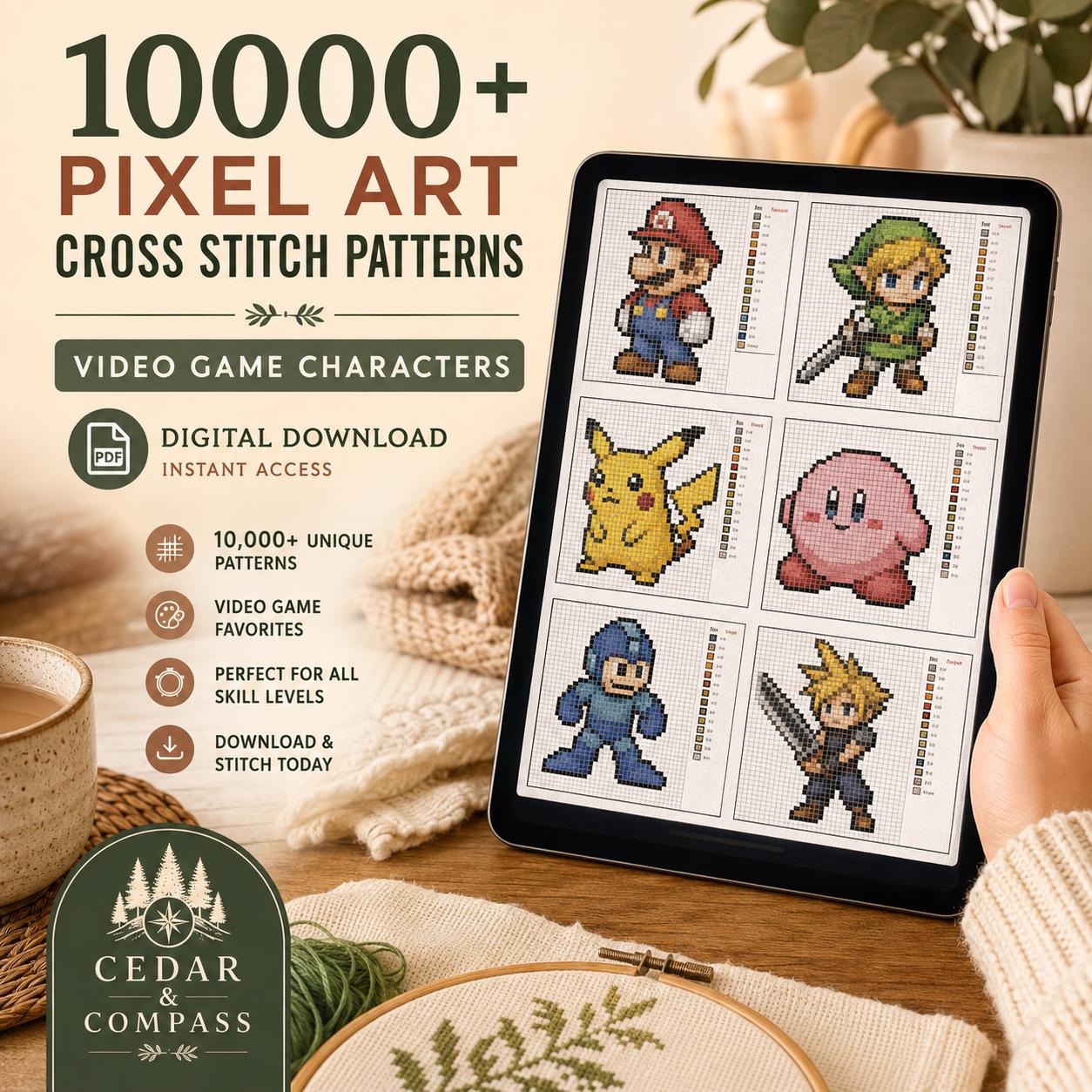
A pixel art cross stitch chart is a grid where each square represents one stitch, and each square is either filled with a color symbol or left blank (representing the background fabric). High-quality charts include a color key that lists every symbol used alongside its corresponding DMC floss number and sometimes a color name — this removes all guesswork about which thread to buy or use. To navigate a large chart, most stitchers start from the center of the design (many charts mark the center with arrows on the edges) and work outward, which keeps the pattern centered on your fabric even if your starting placement was slightly off. When a chart PDF includes a master index or clickable bookmarks organized by character or series, you can jump directly to the sprite you want rather than scrolling through hundreds of pages — this is a significant practical advantage in large pattern bundles containing thousands of designs. Color-coded charts where each stitch square is filled with the actual thread color (rather than a black-and-white symbol) are easiest to follow because you can visually verify your work at a glance as you stitch.
The Basic Cross Stitch Technique for Clean Pixel Art Results
Each cross stitch is made up of two diagonal half-stitches that cross in the center of the fabric square: first stitch from the bottom-left hole to the top-right hole, then stitch from the bottom-right hole to the top-left hole to complete the X. For pixel art specifically, consistency is critical — all your top stitches should cross in the same direction (typically top-left to bottom-right) across the entire piece, because any inconsistency creates a visible texture difference that disrupts the clean, blocky look the design depends on. Use two strands of floss for 14-count Aida, or three strands for 10-count Aida, to achieve solid coverage without fabric showing through. Avoid carrying thread more than 3–4 stitches across the back of the fabric, as long carried threads can show through on lighter Aida and create a lumpy texture. Because pixel art cross stitch typically has no backstitch outlines, the precision of your individual stitches matters more than in traditional cross stitch — take time to keep your tension even so every stitch lies flat and the finished sprite looks sharp.
Choosing the Right Pattern Size: Stitch Count, Grid Count, and Finished Dimensions
The finished size of a cross stitch project is determined by two variables: the stitch count of the pattern and the count of the Aida cloth you stitch it on. To calculate finished size, divide the stitch count by the fabric count — a 50×50 stitch pattern on 14-count Aida yields a finished piece of approximately 3.6″×3.6″, while the same pattern on 10-count Aida yields 5″×5″. Most video game sprites from NES, Game Boy, and SNES-era games fall in the 16×16 to 64×64 stitch range naturally, making them well-suited to small finished dimensions that work as patches, keychains, or ornaments. If you want to create a large pixel art quilt or wall hanging, stitching multiple character sprites on 10-count Aida and assembling them gives you a bold, gallery-worthy piece without needing to stitch a single enormous chart. Pattern collections that standardize all designs to the same stitch area (such as a uniform 50×50 grid) are especially convenient for quilts and grid arrangements, because every character block finishes at exactly the same size.
Using a Large Digital Pattern PDF: Organization and Workflow Tips
When working from a large pattern collection delivered as a PDF — particularly bundles containing thousands of designs — organization is the difference between a usable resource and an overwhelming file. Look for PDFs that include a text-searchable master index and clickable bookmarks, which let you locate a specific character by name or series in seconds rather than scrolling through pages. Download and store the PDF in a cloud service like Google Drive or iCloud so it's accessible on your tablet or phone while you stitch without needing to print anything. If you do prefer to print individual charts, most well-formatted pattern PDFs are set at 300 dpi on US Letter pages, which prints crisply on a standard home printer at 100% scale. Keep a small notebook or use a notes app to track which colors you've threaded, how many skeins you've used, and which characters you've completed — this is especially helpful when working through a large library of designs across multiple projects over time. Because the PDF format requires no software beyond a free PDF reader (Adobe Acrobat Reader, Apple Books, or any browser), there's no compatibility barrier regardless of your device.
Frequently Asked Questions About Pixel Art Video Game Cross Stitch
Do I need any stitching experience to start? No — pixel art cross stitch requires only the basic cross stitch, which takes most beginners under ten minutes to learn, and the charted grid format eliminates the need for any freehand skill. Can I resize a pattern? Yes, by switching to a different Aida cloth count: the same chart on higher-count fabric produces a smaller finished piece, and on lower-count fabric produces a larger one. Are fractional stitches (three-quarter stitches) required for pixel art designs? Typically no — pure pixel art sprites are designed on whole-stitch grids, so well-designed pixel art cross stitch patterns use only full cross stitches, making them faster and cleaner to execute than portrait-style patterns. How many colors does a typical video game sprite pattern use? Retro 8-bit sprite patterns usually call for 4 to 12 DMC colors; more detailed modern designs may use up to 20, but this is still far fewer than photographic cross stitch which can require 60 or more floss colors. What fabric color should I use for the background? White or natural (ecru) Aida is most common, but using a colored Aida that matches the game's background color can eliminate the need to stitch the background entirely, saving significant time on large pattern sets.
Key Takeaways
- Pixel art cross stitch maps one screen pixel to one fabric stitch, making video game sprites naturally chart-ready without artistic interpretation.
- A 50×50 stitch pattern on 10-count Aida finishes at exactly 5″×5″, ideal for bag tags, patches, and modular pixel quilts.
- Use two strands of DMC floss on 14-count Aida and three strands on 10-count Aida for full coverage and a clean pixel look.
- All top stitches must cross in the same direction throughout the piece to maintain the flat, blocky aesthetic pixel art requires.
- Large pattern PDF bundles with a master index and clickable bookmarks let you jump directly to any character without scrolling thousands of pages.
- No fractional stitches or backstitch outlines are needed for well-designed pixel art patterns, making them faster and more beginner-friendly than portrait cross stitch.
- Switching Aida cloth count (10-count vs. 14-count vs. 18-count) resizes the finished piece from the same chart — no pattern editing required.
- Standardizing all sprite patterns to the same stitch area (e.g., a uniform 50×50 grid) makes it easy to combine characters into a consistent pixel quilt layout.